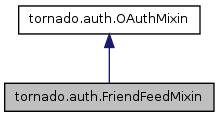
Inheritance diagram for tornado.auth.FriendFeedMixin:
Public Member Functions | |
| def | friendfeed_request |
Private Member Functions | |
| def | _oauth_consumer_token |
| def | _oauth_get_user |
| def | _on_friendfeed_request |
| def | _parse_user_response |
Static Private Attributes | |
| string | _OAUTH_ACCESS_TOKEN_URL = "https://friendfeed.com/account/oauth/access_token" |
| string | _OAUTH_AUTHORIZE_URL = "https://friendfeed.com/account/oauth/authorize" |
| _OAUTH_NO_CALLBACKS = True | |
| string | _OAUTH_REQUEST_TOKEN_URL = "https://friendfeed.com/account/oauth/request_token" |
| string | _OAUTH_VERSION = "1.0" |
Detailed Description
FriendFeed OAuth authentication.

To authenticate with FriendFeed, register your application with
FriendFeed at http://friendfeed.com/api/applications. Then
copy your Consumer Key and Consumer Secret to the application settings
'friendfeed_consumer_key' and 'friendfeed_consumer_secret'. Use
this Mixin on the handler for the URL you registered as your
application's Callback URL.

When your application is set up, you can use this Mixin like this
to authenticate the user with FriendFeed and get access to their feed::

    class FriendFeedHandler(tornado.web.RequestHandler,
                            tornado.auth.FriendFeedMixin):
        @tornado.web.asynchronous
        def get(self):
            if self.get_argument("oauth_token", None):
                self.get_authenticated_user(self.async_callback(self._on_auth))
                return
            self.authorize_redirect()

        def _on_auth(self, user):
            if not user:
                raise tornado.web.HTTPError(500, "FriendFeed auth failed")
            # Save the user using, e.g., set_secure_cookie()

The user object returned by get_authenticated_user() includes the
attributes 'username', 'name', and 'description' in addition to
'access_token'. You should save the access token with the user;
it is required to make requests on behalf of the user later with
friendfeed_request().
Member Function Documentation
| def tornado.auth.FriendFeedMixin._oauth_consumer_token | ( | self | ) | [private] |
| def tornado.auth.FriendFeedMixin._oauth_get_user | ( | self, | |
| access_token, | |||
| callback | |||
| ) | [private] |
Reimplemented from tornado.auth.OAuthMixin.
| def tornado.auth.FriendFeedMixin._on_friendfeed_request | ( | self, | |
| callback, | |||
| response | |||
| ) | [private] |
| def tornado.auth.FriendFeedMixin._parse_user_response | ( | self, | |
| callback, | |||
| user | |||
| ) | [private] |
| def tornado.auth.FriendFeedMixin.friendfeed_request | ( | self, | |
| path, | |||
| callback, | |||
access_token = None, |
|||
post_args = None, |
|||
| args | |||
| ) |
Fetches the given relative API path, e.g., "/bret/friends"

If the request is a POST, post_args should be provided. Query
string arguments should be given as keyword arguments.

All the FriendFeed methods are documented at
http://friendfeed.com/api/documentation.

Many methods require an OAuth access token which you can obtain
through authorize_redirect() and get_authenticated_user(). The
user returned through that process includes an 'access_token'
attribute that can be used to make authenticated requests via
this method. Example usage::

    class MainHandler(tornado.web.RequestHandler,
              tornado.auth.FriendFeedMixin):
@tornado.web.authenticated
@tornado.web.asynchronous
def get(self):
    self.friendfeed_request(
        "/entry",
        post_args={"body": "Testing Tornado Web Server"},
        access_token=self.current_user["access_token"],
        callback=self.async_callback(self._on_post))

def _on_post(self, new_entry):
    if not new_entry:
        # Call failed; perhaps missing permission?
        self.authorize_redirect()
        return
    self.finish("Posted a message!")
Member Data Documentation
string tornado::auth.FriendFeedMixin::_OAUTH_ACCESS_TOKEN_URL = "https://friendfeed.com/account/oauth/access_token" [static, private] |
string tornado::auth.FriendFeedMixin::_OAUTH_AUTHORIZE_URL = "https://friendfeed.com/account/oauth/authorize" [static, private] |
tornado::auth.FriendFeedMixin::_OAUTH_NO_CALLBACKS = True [static, private] |
string tornado::auth.FriendFeedMixin::_OAUTH_REQUEST_TOKEN_URL = "https://friendfeed.com/account/oauth/request_token" [static, private] |
string tornado::auth.FriendFeedMixin::_OAUTH_VERSION = "1.0" [static, private] |
The documentation for this class was generated from the following file: